A coding agent sandbox only contains an agent if it puts a kernel boundary between the agent and the host, blocks outbound network by default, and keeps long-lived credentials out of reach. Devcontainers and plain Docker do none of that by default, and the agent will execute whatever the repo, its dependencies and its tools tell it to.
The short answer
- A devcontainer or Docker container is a packaging boundary: it shares the host kernel and bind-mounts your checkout, so it stops accidents, not escapes or exfiltration.
- Real containment for a coding agent is a microVM or gVisor boundary plus deny-by-default egress plus a workspace with no long-lived credentials.
- Credentials and network are what actually leak; a well-isolated VM with a write token and open internet is still a breach.
- Remote ephemeral workspaces are the strongest default, but they shift trust to the repo token scope, your cloud identity and the vendor.
Key takeaways
- A devcontainer shares the host kernel and bind-mounts your checkout; writes to .git/hooks and devcontainer.json initializeCommand both execute on the host.
- Credentials and network egress are where coding agents leak data; kernel escapes are the expensive, rare path.
- Removing one leg of the lethal trifecta (private data, untrusted content, external communication) is the mitigation; approval prompts are not.
- gVisor shrinks the host kernel surface; Firecracker and Kata add hardware virtualization. Neither helps if the VM holds a write token and open egress.
- Ephemeral remote workspaces kill persistence but not the damage from a write-scoped repo token.
- MCP servers need their own boundary, scoped credentials and egress policy, or they become the exfiltration path around the agent's sandbox.
Is a Docker container or devcontainer enough to sandbox a coding agent?
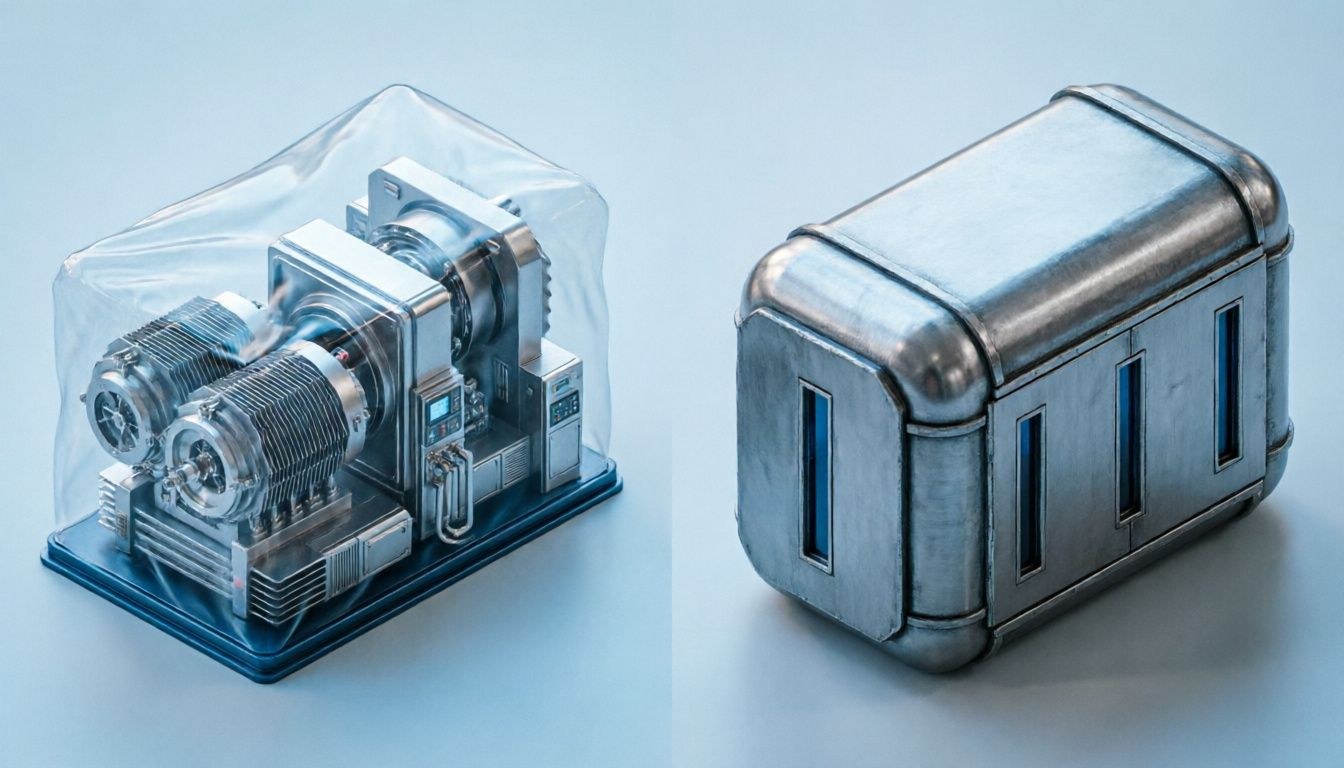
No. A devcontainer is a packaging boundary, not a security boundary. It shares the host kernel and usually bind-mounts your working tree, so it stops accidents but not determined escapes or exfiltration.
Claude Code, Codex CLI, Cursor, Aider, Gemini CLI, OpenHands and the Copilot coding agent are all shell-execution loops: they edit files, run commands, install packages and make network calls. The threat is not the model going rogue. It is untrusted content the agent reads and then acts on, whether a README, an issue, a fetched page or MCP tool output.
The bind mount is the part teams underestimate. Every write the agent makes lands in your real checkout, including .git/hooks, and a hook planted there runs on your host at your next commit. The Dev Containers spec adds a second host path: initializeCommand in devcontainer.json runs on the host before the container starts.
Builds are code execution too. npm install runs postinstall scripts, pip runs setup.py, Cargo runs build.rs, and make runs whatever the Makefile says. That holds even with a perfectly aligned model.
What default Docker enforces, and what voids it
Default Docker gives you namespaces, cgroups, an AppArmor or SELinux profile, a seccomp profile that blocks a few dozen of the several hundred syscalls (the exact count varies by version), and 14 Linux capabilities. That is meaningful hardening against accidents and misbehaving processes, and thin protection against someone holding a kernel bug.
One default capability, NET_RAW, is enough for ARP and DNS spoofing on the bridge network. The escape history is long: runc CVE-2019-5736, runc CVE-2024-21626 (Leaky Vessels), the cgroups v1 release_agent escape CVE-2022-0492, and host kernel bugs such as Dirty Pipe (CVE-2022-0847) all turned a container foothold into host access.
Five misconfigurations void the boundary outright, and they show up routinely in agent devcontainers:
/var/run/docker.sockmounted in. Host root, handed over. The agent starts a privileged container with/mounted.--privilegedor Docker-in-Docker. DinD needs privileged mode, which is worse than the socket.seccomp=unconfinedandcapAdd. Added to make a debugger or VPN client work, never removed.- Running as root. Many devcontainer images default to it, which shortens every exploit path.
- Workspace bind mount plus
initializeCommand. Host writes and host execution, as above.
Rootless Podman or rootless Docker maps container root to an unprivileged host UID through user namespaces. Use it; it cuts the impact of a kernel exploit, but the kernel is still shared. For image builds, use a rootless or remote builder instead of the socket.

What are the four containment axes of a coding agent sandbox?
Judge any sandbox claim on four axes: filesystem visibility and write reach, network egress, credential access, and the kernel or hypervisor boundary that prevents host escape.
- Filesystem: can the agent read
~/.ssh,~/.aws,.env? Can it write outside the project, or into.git/hooks? - Network: can it connect to an arbitrary host, resolve arbitrary DNS names, or reach 169.254.169.254?
- Credentials: what tokens, keys, sockets and environment variables sit inside the boundary?
- Kernel boundary: does a local privilege escalation inside the sandbox become a host compromise?
Vendors market the fourth axis because it sounds hardest. In practice the first three are where data leaves. A kernel exploit is expensive and noisy. Reading AWS_SECRET_ACCESS_KEY from the environment and posting it to a webhook costs one tool call.
This is Simon Willison’s lethal trifecta: access to private data, exposure to untrusted content, and a way to communicate externally. A coding agent on a developer laptop has all three by default, and removing any one leg is the fix. Prompt injection (OWASP LLM01) has no reliable model-level fix, so containment has to work without relying on the model’s judgement.
Approval prompts are not that control. An agent raises dozens of requests an hour, engineers habituate, and an attacker needs one accepted prompt. Treat approval as a speed bump and design the sandbox so that one bad approval cannot reach secrets and the internet in the same session. We cover the test side in how to test excessive agency in AI agents.
How the main options compare
| Option | Boundary | Filesystem | Network | Credential exposure | Host escape | DX cost | Best fit |
|---|---|---|---|---|---|---|---|
| Devcontainer / Docker | Shared kernel, namespaces | Weak (bind mount) | Open by default | High (env, socket, mounts) | Kernel bug or misconfig | Low | Reproducible toolchains, not containment |
| OS sandbox (bwrap, Landlock, seccomp, Seatbelt) | Shared kernel, per-process policy | Strong with Landlock or Seatbelt rules | Good with proxy allowlist | Medium (inherits user env unless scrubbed) | Kernel bug | Low to medium | Supervised agent on a laptop |
| gVisor | User-space kernel | Strong | Configurable | Whatever you put in | Hard | Medium (I/O cost) | Kubernetes-hosted agents |
| MicroVM (Firecracker, Kata) | Hardware virtualization | Strong | Configurable | Whatever you put in | Very hard (hypervisor bug) | Medium | Untrusted repos, autonomous runs |
| Remote ephemeral workspace | Vendor VM | Strong, disposable | Vendor-dependent | Repo token and cloud identity | Vendor’s problem | Low for users | Background agents, shared teams |
Read the credential column twice. A microVM holding a write token to main is a well-isolated attacker with commit rights.
OS sandbox, gVisor or microVM: which boundary should you pick?
Use an OS-level sandbox for a supervised agent on a laptop, gVisor for container-native hosting with a smaller host kernel surface, and a microVM for untrusted repos and autonomous runs at scale.
Landlock, bubblewrap and Seatbelt
OS-level sandboxes restrict a process tree on the host kernel. They handle filesystem and network policy well and offer nothing against a kernel exploit. On Linux, seccomp-bpf filters syscalls and has no path awareness, so it cannot express “do not read ~/.ssh“.
Landlock can. It is an unprivileged LSM with file-hierarchy rules since Linux 5.13 and TCP bind and connect rules since Linux 6.7. Because rules attach to opened directories rather than path strings, they are harder to sidestep with symlink tricks than prefix filters. bubblewrap, the Flatpak sandbox builder, assembles mount and user namespaces without root; nsjail and minijail are Google-lineage equivalents.
The two big agent vendors ship this layer. OpenAI documents Codex CLI’s sandbox as Seatbelt on macOS and Landlock plus seccomp on Linux. Anthropic has open-sourced a sandbox runtime for Claude Code that, per its documentation at the time of writing, uses bubblewrap on Linux, Seatbelt on macOS and an egress proxy with a domain allowlist. Defaults change between releases, so check your installed version.
On macOS, sandbox-exec is deprecated but still drives Seatbelt policy, and it remains the practical option for CLI tools without App Sandbox entitlements. On Windows, AppContainer gives capability-based isolation and Windows Sandbox gives a disposable Hyper-V VM. WSL2 is a VM, but an agent inside usually has full network and reaches your Windows files through /mnt/c.
gVisor
gVisor is not a VM. Its Sentry is a user-space kernel that implements a subset of the Linux ABI and intercepts the workload’s syscalls, so the host kernel sees a narrow interface. The cost lands on syscall-heavy and I/O-heavy work, which describes a monorepo build. Published overhead figures vary widely, so benchmark your own build. Modal Sandboxes run on gVisor.
Firecracker and Kata Containers
Firecracker is a Rust VMM with a deliberately tiny device model: virtio-net, virtio-block, virtio-vsock and serial, with no PCI, USB or GPU. It runs wrapped by its Jailer component for a second layer of isolation and underpins AWS Lambda and Fargate. AWS publishes boot times and per-VM memory overhead low enough that one VM per agent session is practical. E2B is built on it.
Kata Containers wraps a lightweight VM (QEMU, Cloud Hypervisor or Firecracker backend) behind an OCI runtime and plugs into Kubernetes through RuntimeClass, at the cost of memory per pod and weaker GPU and nested-virtualization support. Neither option is escape-proof. QEMU’s VENOM (CVE-2015-3456) proved device models are attack surface, and Firecracker’s small device set leaves fewer places for a VENOM-class bug to hide.
How do you keep SSH keys, cloud credentials and the metadata endpoint away from a coding agent?
Do not put them inside the boundary. Start the sandbox with a scrubbed environment, no home directory mounts, no SSH agent socket and no route to the metadata IP.
- Environment variables: pass an explicit allowlist, never the developer’s full environment. “The build needs it” is usually false; the build needs registry read access, which a mirror provides.
- Dotfiles:
~/.aws,~/.config/gh,~/.docker/config.json,~/.npmrcand git credential helpers stay outside. - SSH agent forwarding: forwarding the socket hands over your signing identity. The agent never reads the key and still authenticates to every host the key can reach.
- Metadata: on EC2, GCE, Azure VMs and CI runners, assume the agent will curl 169.254.169.254. Enforce IMDSv2 with a hop limit of 1 and drop the IP at the sandbox’s network layer.
When the agent must push or call an API, order the options by what an injected agent can still do with each. A short-lived OIDC token scoped to one repo and one branch beats a read-only PAT, which beats a mounted secret file, which beats an environment variable. Best of all, the agent opens a pull request and a separate, non-agent identity merges it.
How do you restrict coding agent egress without breaking npm, pip and go get?
Deny by default, then route package traffic through a registry mirror or proxy that allows only the registries you use. Installs keep working and the exfiltration channel closes.
- No network: strongest, breaks every install. Fine for pre-warmed images and review-only tasks.
- Full network: the default almost everywhere, and the reason the kernel boundary barely matters.
- Domain allowlist via proxy: workable. Watch for allowed domains that accept writes: allowing github.com lets an injected agent create a gist or push to a fork it controls.
- Registry mirror with a package allowlist: best for teams. Artifactory, Nexus or a pull-through cache with policy, and the sandbox resolves nothing else.
Close DNS too. A sandbox that blocks TCP but lets the resolver answer arbitrary names leaks data in subdomain labels. Point it at a resolver that only answers for allowlisted zones.
Where does trust move with remote workspaces and MCP servers?
Remote workspaces and MCP servers do not remove the trust problem. They move it to the repo token, your cloud identity, the vendor and the tools the agent calls.
Codespaces, Codex cloud, Cursor background agents and Devin
These are safer than your laptop because each session gets a disposable VM. GitHub Codespaces gives each codespace its own VM, and GitHub documents the Copilot coding agent as running in an ephemeral GitHub Actions environment with a configurable firewall. At the time of writing, OpenAI Codex cloud, Cursor background agents and Devin document their isolation in less detail; treat their architecture claims as vendor documentation, not verified fact.
Ephemerality kills persistence: no implant survives the session. It does nothing about a write-scoped token. An injected agent can push a backdoor within minutes, and the workspace disappears with the evidence. Before you enable a background agent, scope its token to branches it cannot merge, require review from a human identity, and confirm what source code you are sending to a third party.
MCP servers
MCP servers usually run with the agent’s privileges and receive the same untrusted content, so sandboxing the agent and not its tools defeats the purpose. A typical setup launches them through npx or uvx, pulling packages at runtime: a supply-chain input, like a Dev Container Feature or a base image.
The servers often hold credentials the agent does not, such as a database URL, a Jira token or a cloud role. An injection that reaches the agent can drive the tool, and the tool’s network access becomes the egress path you thought you closed. Run each MCP server in its own boundary with scoped credentials, its own egress policy and pinned versions. This confused-deputy pattern is what our MCP server and tool-chain security testing targets first.
How do you test whether your coding agent sandbox actually holds?
Run an escape checklist against all four axes from inside the sandbox, as the agent, triggered by an injected instruction rather than a direct command.
- Filesystem: read
~/.ssh/id_*,~/.aws/credentialsand any.envabove the project root; write to.git/hooks/pre-commit; follow a symlink out of the workspace. - Network: connect to a host you control, resolve a unique subdomain, curl 169.254.169.254, push to a fork or create a gist.
- Credentials: dump the environment and look for
SSH_AUTH_SOCK,docker.sockand credential helper output. - Kernel: check capabilities, seccomp mode, UID mapping, and whether the runtime is runc, runsc or a VM.
Deliver the test instructions the way an attacker would: in a README, an issue comment, a test fixture, a dependency’s postinstall, or MCP tool output. That is the difference between a configuration audit and prompt injection testing.
Then check whether the sandbox is still on a month later. Containment that breaks the monorepo build tends to get --privileged added quickly, and a disabled sandbox that everyone believes is enabled is worse than none.

FAQ
Can an AI coding agent escape a Docker container?
Yes, through a host kernel bug, a runc flaw such as CVE-2024-21626, or a misconfiguration like a mounted docker.sock or –privileged. In agent setups, the misconfigurations are far more common than the kernel bugs.
Does a microVM stop prompt injection?
No. A microVM limits what happens after injection by keeping a compromised guest off the host. It does not stop the agent from exfiltrating secrets inside the VM over an open network or pushing malicious code with a token it holds.
Should I run a coding agent with auto-approve or permission checks disabled?
Only inside a disposable VM or gVisor sandbox with deny-by-default egress and no long-lived credentials. On a laptop with your SSH agent, cloud profiles and full network, auto-run means any injected instruction executes with your identity.
Is macOS sandbox-exec still usable for coding agents?
Yes. It is deprecated but still drives Seatbelt policy that restricts file reads, writes and network per process tree, and both Codex CLI and Anthropic's Claude Code sandbox runtime use it on macOS.
Is seccomp enough to protect my home directory from an agent?
No. seccomp filters syscalls and has no notion of paths. Use Landlock, Seatbelt, mount namespaces or a VM boundary to keep the agent out of ~/.ssh and ~/.aws.
What is the cheapest meaningful improvement for a team using devcontainers today?
Remove the docker.sock mount and –privileged, run as a non-root user under rootless Podman or Docker, stop passing the full host environment, and put egress behind a registry mirror. That closes the common paths without changing your tooling.
If you want to know what an injected instruction can actually reach in your agent setup, our AI agent penetration testing runs this checklist against your real sandboxes, tokens and MCP servers and reports the paths that hold and the ones that don’t.