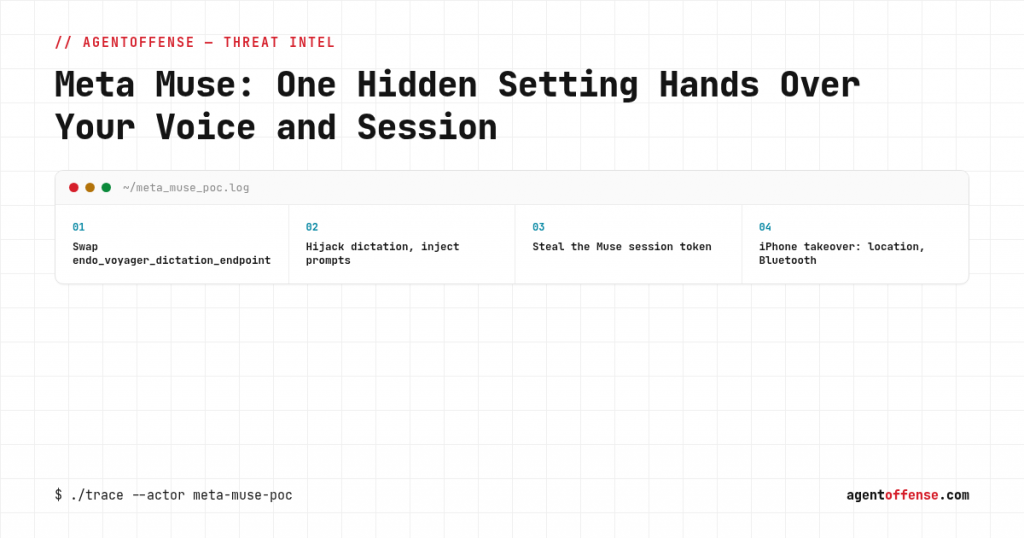
Patrick Wardle, one of the best-known researchers in macOS security, published a working proof of concept on September 21 for Meta Muse, Meta’s personal AI assistant that launched on Mac just weeks earlier. The cause is a single undocumented preference. Change it, and an attacker can hijack the user’s dictation, feed Muse instructions it treats as trusted, and steal the assistant’s session token to take over the account from another device, iPhone included. There’s no patch yet. Meta’s only current advice is to quit or uninstall the app.
The setting nobody was supposed to find
The preference is called endo_voyager_dictation_endpoint, and it decides where Muse sends your voice when you dictate a prompt. It isn’t exposed anywhere in the app’s UI, it just sits in an ordinary preferences file, and any process running as the logged-in user can change it with no extra permissions and no prompt to the victim. Flip that one value, and the voice channel the user believes is a private conversation with Meta’s servers is quietly routed to a server the attacker controls instead.
How the attack actually plays out
The user taps the microphone and dictates a request the way they’ve done a hundred times already. Except now those words go to the attacker’s process on the same machine, not to Meta. From there, an attacker has two options. Simply listen, and learn whatever the user is telling their assistant: plans, credentials, work details. Or answer back, with an extra instruction folded into the reply, which Muse then executes as if the user had said it themselves, because from the app’s point of view it’s just the next line of a normal conversation.
The same endpoint swap also lets the attacker pull Muse’s session token straight out of the traffic. And that token travels. In Wardle’s demo, an attacker used a stolen token to log into the victim’s Muse account from an iPhone and pull location data, scan nearby Bluetooth devices, and see the smart-home commands Muse had been set up to run on the owner’s behalf.
Why this isn’t a simple password theft story
macOS deliberately stops one app from reading another app’s saved passwords and tokens. That protection held here, and the attacker never touches it directly. What they do instead is use Muse’s own legitimate access to its own data. Nobody told Muse it couldn’t know its own session token, so once its input and output channel is quietly redirected, the token comes along for the ride without the OS-level credential protections ever being tested. It’s a textbook confused-deputy problem: the app does exactly what it’s allowed to do, just for the wrong party on the other end of the line.
How real is the risk, honestly
The article is upfront about the limitation, and it’s worth stating plainly: the attacker needs code already running on the victim’s Mac as that user. This isn’t remotely exploitable over the internet. That sounds like a meaningful bar, but it’s also exactly the state almost every infostealer, trojan, or malicious browser extension ends up achieving once it lands: code execution as the logged-in user. Once an attacker has that, an assistant like Muse stops being a convenience feature and becomes a ready-made channel for data theft and cross-device takeover, one the victim has no reason to suspect, because the microphone still works, the replies still come back, and nothing looks different.
Our take
Personal AI assistants with standing access to a microphone, local files, and accounts on other devices are effectively a new category of software running with privileges almost nothing else on the machine ever had. Companies are shipping these products fast, and speed tends to leave exactly this kind of thing behind: an internal setting nobody documented, because nobody on the security side was looking for it, let alone an average user. Muse isn’t an outlier here, it’s the first loud wake-up call for a whole category of products every major vendor is racing to ship through 2026.
What stands out just as much is who found this and when. An independent researcher, after release, not Meta’s own security team before it shipped. For a product that listens to you constantly and controls other devices on your behalf, that order should run the other way.
This keeps happening
Assistants that get trusted with too much and checked too little keep turning out to be the weak link. We covered a close cousin of this when one message quietly made ChatGPT exfiltrate a user’s email through a hidden-prompt flaw, same pattern: one unnoticed manipulation was enough to turn the assistant against its own owner. What’s new here isn’t the idea, it’s that it now hits a product that listens to your voice and runs your smart home.
What to actually do about it
- If Muse is already installed on a Mac in your environment, quit and remove it until Meta ships a fix, exactly as the researcher recommends.
- If your organization lets staff install personal AI assistants on work machines, don’t take the vendor’s reputation on faith. Scope a real AI agent penetration test against the specific apps people are actually running.
- If you’re building something similar, a voice or chat assistant with standing access to a user’s devices, get agentic AI threat modeling into the release cycle itself, not into the response after a researcher’s write-up goes public.
- A runtime layer that treats every instruction an agent receives as untrusted until proven otherwise would have blunted exactly this kind of hijack. That’s the problem airlock_ai exists to solve.
- Pair that with a human-in-the-loop check before an agent acts on an instruction it didn’t originally ask for, which is what countersign is built around.